


In this guide, we’ll show you how to perform an Al Ansari balance check, using options like online salary check and ATM balance check.
Why Regular Balance Checks Are Important
Ever wonder if your balance is where it should be? Regularly checking it can help you stay in control of your finances and avoid surprises. It’s a simple habit that can make a big difference in managing your money.

Here’s why it’s important:
- Stay on top of spending: Know exactly how much you have and avoid overspending.
- Catch mistakes early: Quickly spot any unexpected transactions or errors.
- Ensure timely salary deposits: Confirm your salary or payments are credited on time.
Checking your balance regularly helps you take charge of your financial well-being and gives you peace of mind.
How to Check Al Ansari Balance: A Step-by-Step Guide
Checking your Al Ansari balance is quick and straightforward. You have several ways to do it, whether you’re at home, on the go, or near an ATM. Here’s a detailed guide on how to check your balance using different methods:

1. Check Online
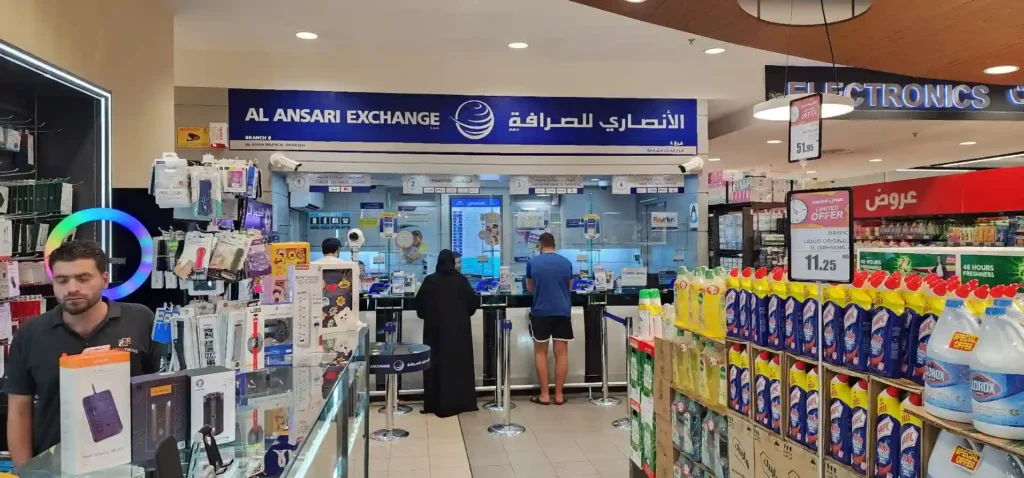
How to Check Al Ansari Exchange Balance Online
Go to the Al Ansari Exchange website.










Log into your account using your username and password.
Once logged in, navigate to the balance section. Your current balance will be displayed there.
You can also view detailed transaction history and other account information.
This method is quick and can be done from any device with internet access.
Read Also: Lulu Salary Card Balance Check: Methods & Tips
2. Use the Mobile App
The Al Ansari mobile app allows you to check your balance anytime and anywhere. Here’s how:
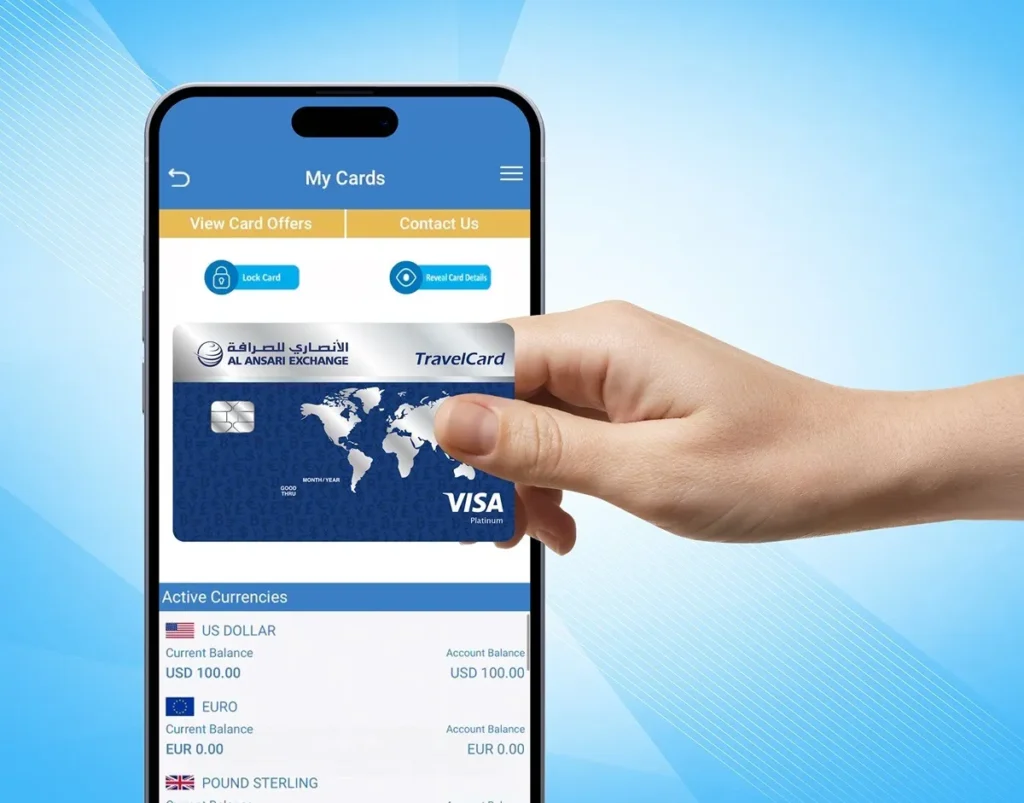
How to Check Balance via Al Ansari Exchange App
Download and open the Al Ansari Exchange app from your app store. 📲 Available for both Android and iOS.
Log into your account by entering your credentials.
On the home screen, tap on “Balance Check” or “Account Overview”.
Your balance will appear on screen. You can also view recent transactions, transfers, and payment history.
Using the app is ideal for those who want to check their balance while on the move.
3. ATM Check
If you’re near an ATM, you can check your balance in just a few steps:
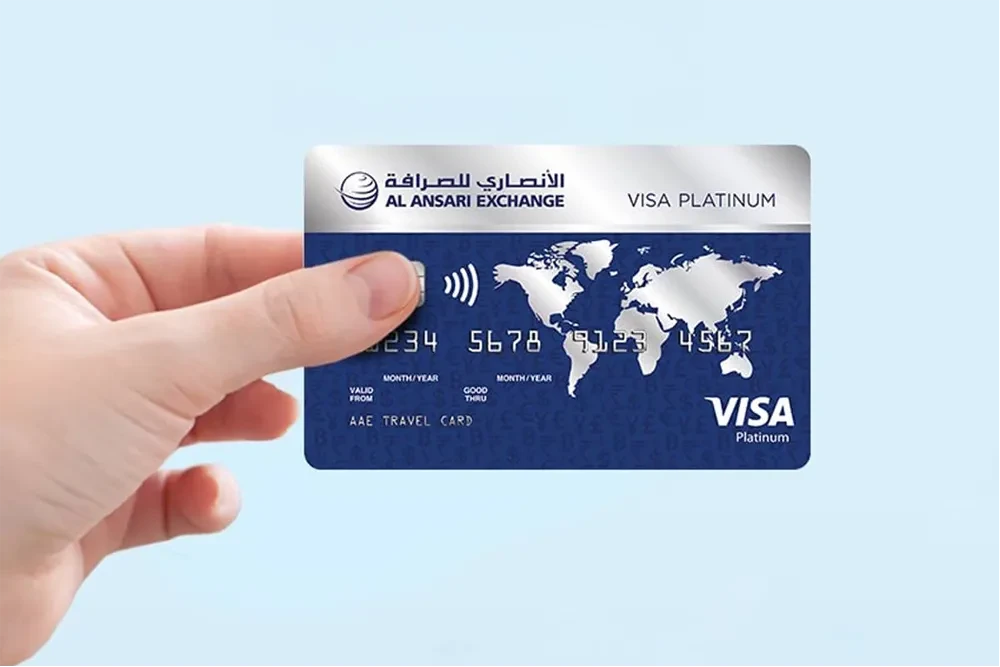
How to Check Al Ansari Exchange Balance at ATM
Visit any ATM that supports Al Ansari or any partner ATM.
Insert your Al Ansari card into the machine.
Select the “Balance Inquiry” option from the ATM menu.
Your balance will be displayed on screen. You can also choose to print a receipt if needed.
This method works best when you’re out and about and need to quickly check your balance.
4. In-branch Kiosk
Many Al Ansari branches have self-service kiosks for customers. Here’s how you can use them:
How to Check Balance at Al Ansari Exchange Kiosk
Visit a branch with an available kiosk. 💡 Check branch details online for kiosk availability before visiting.
Follow the on-screen instructions. You may be asked to insert your Al Ansari card or enter a unique customer ID.
Select “Balance Inquiry” from the available options.
Your balance will be displayed on the screen. Some kiosks may offer printouts if you need a receipt.
Kiosks are great for a quick, in-person check if you’re already visiting a branch.
5. Customer Service Hotline
If you don’t have internet access or are unable to visit an ATM or branch, you can always rely on Al Ansari’s customer service for assistance:
How to Check Al Ansari Exchange Balance by Phone
Call the Al Ansari customer service hotline. 💡 Find the contact number on their website or on your card details.
Once connected, choose the option to speak with a customer service representative about your balance inquiry.
Verify your identity by answering security questions.
The representative will provide your current balance and assist with any additional questions you may have.
This method is perfect for anyone who prefers to speak to a live person for help or has trouble using the app or online methods.
Read Also: FAB Salary Check Online – Easy Methods
Which Method Should You Use?
Each method has its advantages, depending on your preferences and situation:
- Online: Best for checking your balance from home or any device.
- Mobile App: Perfect for checking your balance on the go.
- ATM: Convenient when you’re out and need to check your balance quickly.
- In-branch Kiosk: Ideal for those already visiting an Al Ansari branch.
- Customer Service Hotline: Great for personal assistance if you need extra help.
By using these methods, you can easily manage your Al Ansari balance check and ensure you stay on top of your finances.
Al Ansari PayPlus Card Balance Inquiry: Key Features and Benefits
The Al Ansari PayPlus card is a convenient, prepaid card that makes it easy to manage your salary, payments, and transactions. Checking your PayPlus card balance is simple and ensures that you’re always aware of your funds. Let’s take a closer look at the features and benefits of using the PayPlus card for your financial needs.
Overview of PayPlus Card Balance Check
The Al Ansari PayPlus card balance check allows you to easily monitor your funds through various methods, such as online access, mobile apps, ATMs, or in-branch kiosks. Whether you’re checking it before making a purchase or just staying updated on your balance, the process is quick and easy. You can access your PayPlus card balance anytime, giving you control over your finances.
Top Benefits of Regular Al Ansari Balance Checking With PayPlus Card
Benefits of Using the PayPlus Card
Efficient Payroll Management
Employers can load salaries directly onto your PayPlus card — a secure and efficient alternative to traditional bank transfers.
Convenient for International Transactions
Accepted globally — make payments or withdraw cash abroad without carrying large amounts of cash or worrying about currency conversion.
Manage Your Finances with Ease
Monitor spending, set budgets, and check your balance instantly via the Al Ansari mobile app or website — managing your money has never been easier.
No Hidden Fees
Typically comes with no hidden fees for transactions or balance inquiries — you only pay for services like international withdrawals or specific premium features.
Enhanced Security
As a prepaid card, it’s safer than carrying cash. You can lock or freeze the card instantly through the app or website if it’s lost or stolen.
By using the Al Ansari PayPlus card, you gain more control over your finances, whether for payroll, international purchases, or everyday transactions. Checking your PayPlus card balance regularly helps you stay on top of your spending and ensures you’re always ready for your next purchase.
Al Ansari Balance Check – Methods Compared
When it comes to checking your Al Ansari balance, there are multiple options available. Each method has its own benefits and considerations depending on your situation. Let’s compare the main methods for checking your balance: online (website/app), ATM, in-branch kiosk, and customer service hotline.
Al Ansari PayPlus — Balance Check Methods Compared
| Method | Ease | Speed | Convenience | Best For |
|---|---|---|---|---|
| 🌐 Online (Website / App) | Very easy — simply log in. | Instant access once logged in. | Available 24/7, anywhere with internet. | Those who prefer managing finances online or on the go. |
| 🏧 ATM | Simple with on-screen instructions. | Fast — balance within seconds. | Only available near an ATM. | People who need to check balance while out. |
| 🖥️ In-Branch Kiosk | Easy with step-by-step instructions. | Moderate — may take longer during busy hours. | Limited to branch hours, may require waiting. | Customers already at an Al Ansari branch. |
| 📞 Customer Service Hotline | Direct assistance from a representative. | May take longer due to call wait times. | Available 24/7 but requires a call. | Those who need help or prefer speaking directly to someone. |
Here: Check NOL Card Balance Online Fast, Free & Instant
Troubleshooting Common Issues with Al Ansari Balance Check
While checking your Al Ansari balance is usually a smooth process, users may encounter occasional issues. Here are some of the most common problems and how to resolve them step by step:
1. Incorrect Balance Displayed
Problem: Sometimes, the balance displayed may not reflect the correct amount. This could be due to delayed transactions or errors in the system.
Steps to Resolve:
Steps to Resolve: Incorrect Balance Displayed
Double-check the time of your last transaction. If you’ve made a recent transfer or payment, it may not yet be reflected.
Wait for a few minutes and refresh the page or app. Sometimes it takes a little time to update your balance.
Check your transaction history to verify any pending or incomplete transactions that may affect the balance.
If the balance still seems incorrect, contact customer service for assistance. They can check for system errors or unprocessed transactions.
2. Login Issues
Problem: If you’re having trouble logging into your Al Ansari account, it could be due to incorrect login details, account lockout, or system errors.
Steps to Resolve:
Steps to Resolve: Login Issues
Ensure you’re entering the correct username and password. If you’ve forgotten them, use the “Forgot Password” option to reset them.
Check your internet connection. A weak connection can sometimes prevent successful login attempts.
Clear your browser cache or app data. This can fix login issues caused by outdated information on the website or mobile app.
If the problem persists, try logging in from a different device or browser.
Contact customer support if you’re still unable to log in. They can help you regain access to your account.
3. App Not Working or Crashing
Problem: If the Al Ansari app is not working, freezing, or crashing, it could be a software issue or compatibility problem with your device.
Steps to Resolve:
Steps to Resolve: App Not Working or Crashing
Check if your app is up to date. Go to your app store and update to the latest version if available.
Restart your phone or tablet. A simple reboot can often resolve app-related issues.
Clear the app’s cache or data. Go to device settings → find the app → choose “Clear Cache” or “Clear Data”. 💡 On iPhone: offload the app. On Android: Settings → Apps → Al Ansari → Clear Cache.
If the app still doesn’t work, uninstall and reinstall it. This resets any issues caused by corrupted app files.
If the problem continues, contact Al Ansari support for troubleshooting steps or to report a bug.
4. ATM Not Showing Balance or Transaction Errors
Problem: If you’re using an ATM to check your balance and it’s not responding or showing incorrect information, there may be a system error or connectivity issue with the ATM.
Steps to Resolve:
Steps to Resolve: ATM Not Showing Balance or Transaction Errors
Check the ATM screen for error messages or prompts. It may show the reason for the issue. e.g., no connection or system maintenance.
Try using another ATM nearby. If the problem is specific to one machine, another should work fine.
If the transaction was not completed, check your balance via the app or website. 💡 ATM systems can sometimes take longer to process — wait a while before checking again.
If charged for an unsuccessful transaction, contact customer service to raise a dispute and resolve the issue.
5. Customer Service Hotline Not Responding
Problem: If you’re calling customer service and are unable to get through, or if the wait times are long, you may need to troubleshoot your communication method.
Steps to Resolve:
Steps to Resolve: Customer Service Hotline Not Responding
Ensure you’re calling the correct number. Double-check the Al Ansari contact page or your account for the most up-to-date phone number.
Call during off-peak hours to avoid long wait times. 💡 Wait times are typically longest during evenings and weekends.
If unable to reach support by phone, use alternative channels such as email or live chat through the Al Ansari website or app.
Conclusion
Checking your Al Ansari balance is quick and easy, with options like the website, mobile app, ATM, and in-branch kiosks. The PayPlus card offers a seamless way to manage payroll and track transactions. Regular balance checks help you stay on top of your finances and avoid surprises. Choose the method that suits you and keep your finances under control with Al Ansari.
Read Also: How to Check FAB Balance in 2026
Frequently Asked Questions
1. How do I check my Al Ansari balance?
You can check your Al Ansari balance through multiple methods:
- Online: Log into your Al Ansari account via the website or mobile app to view your balance.
- ATM: Insert your Al Ansari card at any supported ATM and choose the “Balance Inquiry” option.
- In-branch Kiosk: Visit an Al Ansari branch with a self-service kiosk for quick balance checks.
- Customer Service: Call the Al Ansari hotline for assistance with checking your balance.
2. How to check salary?
To check your salary on the Al Ansari Salary Card, follow these steps:
- Log into your Al Ansari account online or through the mobile app.
- Navigate to the “Balance” or “Salary” section to view the deposited amount.
- Alternatively, check your salary via ATM or by visiting an Al Ansari branch kiosk.
3. How to check my FAB account balance?
To check your FAB account balance:
- Use the FAB mobile banking app or visit their online banking portal.
- Alternatively, visit an ATM that supports FAB or use the FAB customer service hotline for assistance.
4. How to check NBD salary card balance?
If you have an NBD salary card, follow these steps to check your balance:
- Use the Emirates NBD mobile app or log in to online banking.
- Alternatively, visit any Emirates NBD ATM to perform a balance inquiry or use the NBD customer service.
5. How often should I check my Al Ansari balance?
It’s a good practice to check your Al Ansari balance regularly:
- At least once a week, especially if you have pending payments or transfers.
- Check after every major transaction, like salary deposits or large purchases, to stay updated.
6. What should I do if I find discrepancies in my balance?
If you notice discrepancies in your Al Ansari balance, follow these steps:
- Step 1: Check your transaction history to ensure no transactions are missing or processed incorrectly.
- Step 2: Wait a few minutes, as some transactions (like salary deposits) may take time to appear.
- Step 3: If the issue persists, contact Al Ansari customer support for assistance. They can help identify and resolve any issues.
7. Can I check my Al Ansari balance from anywhere in the UAE?
Yes, you can check your Al Ansari balance from anywhere in the UAE:
- Online: Access your balance through the website or mobile app.
- ATM: Visit any Al Ansari or supported partner ATM.
- In-branch Kiosk: Use a kiosk at any Al Ansari branch.
