

What Is FAB Salary Check?
FAB salary check means checking the salary credited to your account or card issued by First Abu Dhabi Bank (FAB Bank). Employees across the UAE use this service every month to confirm salary credits, verify balances, and plan expenses.
What Is a Ratibi Card?
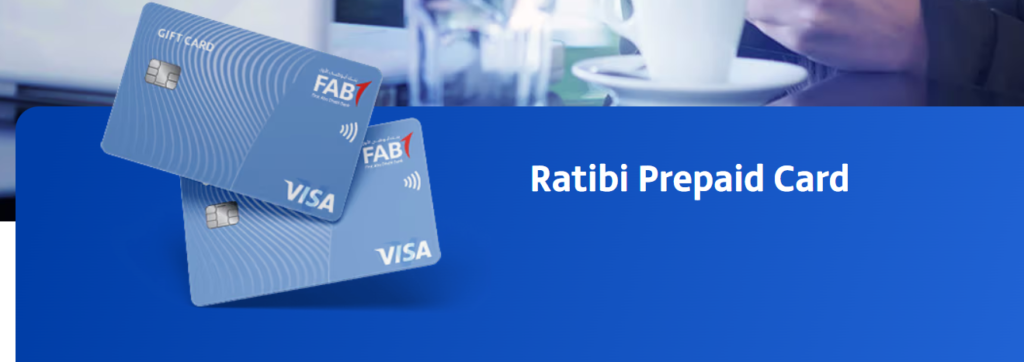
A Ratibi card is a prepaid salary card issued by FAB Bank. Employers load salaries directly onto the card, allowing employees to withdraw cash, check balances, and track salary credits without opening a traditional bank account.
FAB Salary Account vs Ratibi Card
FAB Salary Account vs Ratibi Prepaid Card
| Feature | 🏦 FAB Salary Account | 💳 Ratibi Prepaid Salary Card |
|---|---|---|
| Issuing Bank | First Abu Dhabi Bank (FAB) | First Abu Dhabi Bank (FAB) |
| Account Type | Full bank account | Prepaid salary card |
| Who Should Use It | Office staff, professionals, long-term employees | Workers, non-banked employees, short-term staff |
| Bank Account Required | ✔ Yes | ✘ No |
| Salary Credit Method | Employer transfers salary directly to bank account | Employer loads salary onto card |
| Salary Check Options | Mobile app, online login, ATM, SMS, customer care | Payit app, ATM, SMS, customer care |
| Online Login Access | FAB Mobile Banking App & Website | Payit App (no FAB online login) |
| FAB Salary Check Online | ✔ Yes | ✘ No (uses Payit instead) |
| Ratibi FAB Salary Check | Not applicable | ✔ Yes |
| FAB ATM Check | ✔ Yes | ✔ Yes |
| Balance Enquiry UAE | Available nationwide | Available nationwide |
| Internet Required | Optional | Optional |
| Cash Withdrawal | FAB ATMs & partner ATMs | FAB ATMs only |
| Daily Withdrawal Limit | Higher limits | Lower limits |
| Fund Transfers | ✔ Allowed (local & international) | ✘ Not allowed |
| Bill Payments | ✔ Available | Limited |
| Savings & Deposits | ✔ Available | ✘ Not available |
| Card Activation | Automatic after account setup | Manual activation required at ATM |
| SMS Banking | ✔ Available | ✔ Available |
| Mobile App Experience | Full banking features | Salary tracking only |
| WPS Support | ✔ Yes | ✔ Yes |
| Charges for Salary Check | ✔ Free | ✔ Free |
| Account Maintenance Fees | May apply | ✔ No maintenance fees |
| Card Replacement | Standard debit card process | Replacement fee may apply |
| Salary Advance Options | Possible (subject to eligibility) | Limited or employer-dependent |
| Best Use Case | Long-term salary management | Simple salary receipt & withdrawal |
How to Check FAB Salary Balance Online
FAB Salary Check Online Login (FAB Bank Account)
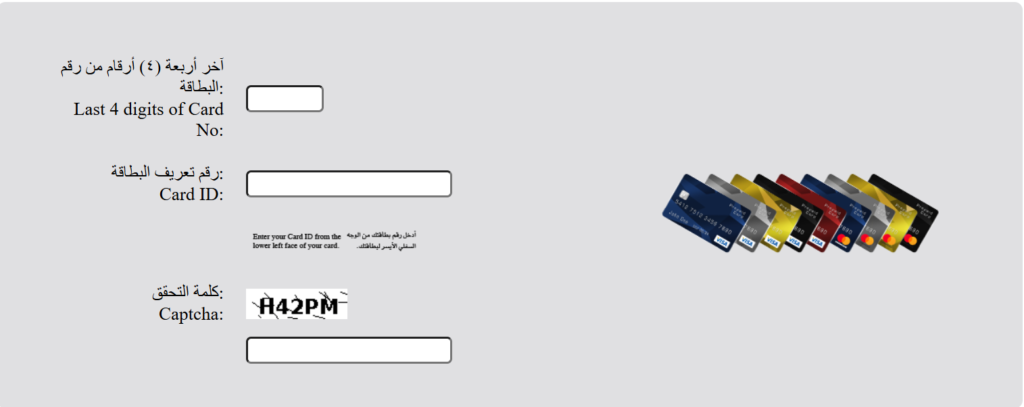
You can check your salary online through FAB’s official banking platform.










Steps:
- Log in to FAB Online Banking
- Open your salary account dashboard
- View your available balance instantly
This method works best for FAB salary account balance check users.
Read Also: How to Check FAB Balance in 2026
FAB Salary Check Using FAB Mobile App
You can also check FAB balance using the mobile app.
Steps:
- Log in to the FAB Mobile Banking App
- Select your salary account
- Check your balance in real time
This method gives quick access and works anytime.
See The Youtube Video For FAB Salary in 2026
FAB ATM Check (Salary Card & Ratibi Card)
You can perform a FAB ATM check using any FAB ATM in the UAE.
Steps:
- Insert your FAB salary card or Ratibi card
- Enter your PIN
- Select Balance Enquiry
This option works for:
- FAB salary card balance check
- Ratibi FAB balance check
- Salary check UAE balance enquiry
FAB Salary Card Balance Check Number & SMS Banking
FAB Salary Card Balance Check Number
You can call FAB customer care and request a fab salary card balance check number service. After identity verification, the agent provides your balance details.
FAB Salary Check via SMS
You can also check FAB balance through SMS banking. Send the balance enquiry message from your registered mobile number and receive your salary balance by reply SMS.
How to Check Ratibi Card Salary Balance
Ratibi card holders can complete a ratibi card salary check using multiple methods.
Ratibi Salary Check Using Payit App
- Download the Payit app
- Register using Emirates ID
- Link your Ratibi card
- View your salary balance instantly
This is the easiest ratibi check balance option.
Ratibi FAB Balance Check via ATM
Use any FAB ATM to perform a ratibi FAB balance check without internet access.
Why Is My FAB Salary Not Credited Yet?
If your salary check FAB shows zero balance, several reasons may apply.
WPS Salary Processing
WPS salaries usually reflect within 24 working hours after employer submission.
Employer Delay
Some employers process salaries later than scheduled, which delays credit.
Public Holidays
Banking holidays may push salary credit to the next working day.
Benefits of FAB Salary Account & Ratibi Card
Benefits for Employees
- Free FAB balance check anytime
- Easy ATM withdrawals
- Secure salary tracking
- Multiple balance enquiry options
Benefits for Employers
- WPS-compliant salary payments
- Faster processing
- Reduced cash handling risks
Common FAB Salary Check Problems & Solutions
Problem 1: FAB Salary Balance Not Showing
What you see
- Salary should arrive, but balance shows 0 or an old amount.
Why this happens
- Employer just submitted salary
- WPS processing delay
- App or ATM not refreshed
- Checking the wrong account or card
Fix in 60 seconds
- Refresh the app or log out and log in again
- Check Available Balance, not only transaction history
- Do a quick FAB ATM check
- Wait up to 24 working hours if WPS applies
When to escalate
- Balance still incorrect after the next working day
Problem 2: FAB Salary Check Online Login Not Working
What you see
- App does not open
- Login fails
- Account shows blocked or error message
Why this happens
- Wrong password or user ID
- Too many login attempts
- Outdated app
- Internet or VPN issue
- Bank system maintenance
Fix in 60 seconds
- Reset password using Forgot Password
- Update the FAB app
- Switch between Wi-Fi and mobile data
- Turn off VPN
- Wait 15–30 minutes if login is temporarily blocked
When to escalate
- Login remains blocked after password reset
Problem 3: SMS Salary Balance Not Received
What you see
- No reply after sending SMS balance enquiry
Why this happens
- Mobile number not registered with the bank
- Wrong SMS format
- Network or SIM issue
- Using Ratibi format for bank account (or vice versa)
Fix in 60 seconds
- Send SMS from the registered mobile number only
- Confirm SMS works by sending a normal message
- Try ATM or mobile app instead
- Ratibi users should use Payit or ATM
When to escalate
- SMS fails repeatedly with the correct registered number
Problem 4: Ratibi Salary Check Not Working (Payit / Balance Issue)
What you see
- Payit does not link the card
- Balance does not show
Why this happens
- Card not activated
- Emirates ID mismatch
- Mobile number mismatch
- Salary posted but app not updated
Fix in 60 seconds
- Activate the Ratibi card at a FAB ATM
- Set your PIN
- Register Payit using the exact Emirates ID details
- Check balance via ATM to confirm salary credit
When to escalate
- Payit fails to link after card activation
Problem 5: FAB ATM Check Fails or Card Declines
What you see
- ATM error
- Wrong PIN message
- Balance enquiry fails
Why this happens
- Incorrect PIN
- ATM technical issue
- New card not activated
- Card chip or stripe issue
Fix in 60 seconds
- Try another FAB ATM
- Carefully re-enter PIN (avoid repeated attempts)
- Activate the card if new
When to escalate
- Card locks or fails at multiple ATMs
Problem 6: Salary Credited but Cash Withdrawal Fails
What you see
- Salary shows credited
- You cannot withdraw full amount
Why this happens
- Daily withdrawal limit
- Pending deductions
- Available balance lower than credited amount
- System update delay
Fix in 60 seconds
- Check Available Balance
- Withdraw a smaller amount
- Wait 1–2 hours if salary just credited
When to escalate
- Withdrawals fail across multiple ATMs
When to Contact Customer Care (Quick Checklist)
Contact customer support only if:
- Salary does not reflect after 24 working hours
- Online login stays blocked after password reset
- Ratibi card does not activate
- ATM errors occur repeatedly
- SMS balance enquiry never works from registered number
Final Thoughts
FAB salary check gives UAE employees full control over salary tracking. Whether you use a FAB salary account or a Ratibi prepaid card, you can check balances online, through ATM, SMS, or mobile apps without any cost. These official methods ensure fast, secure, and reliable salary access every month.
FAQs
How do I check FAB salary balance online?
You can complete a fab salary check online login using FAB Online Banking or the FAB Mobile App.
How can I check Ratibi card salary?
Use Payit app, FAB ATM, or SMS for ratibi salary check.
Is FAB salary card balance check UAE online free?
Yes, all FAB and Ratibi salary balance checks are free.
Can I check FAB balance without internet?
Yes, you can use ATM or SMS banking.
Does FAB support salary check UAE balance enquiry?
Yes, FAB provides multiple free balance enquiry methods across the UAE.
Should You Use a FAB Salary Account or Ratibi Card?
Choose a FAB Salary Account if:
- You want full banking features (online login, transfers, bill payments)
- You receive a regular monthly salary
- You plan to save, send, or manage money long term
- You prefer using FAB mobile and online banking
Choose a Ratibi Salary Card if:
- You do not want to open a bank account
- Your employer pays salary via prepaid card
- You only need salary withdrawal and balance checks
- You want a simple, fee-free salary solution
👉 Both options are issued by First Abu Dhabi Bank and support free salary balance checks across the UAE.
